
Table of Contents
When you hand a financial app access to your money, you’re doing something that requires real trust. Not trust built on a slick logo or a five-star rating in the App Store. Trust is built on knowing, concretely, what stands between your account and someone who wants to get into it without your permission.
Most fintech apps talk vaguely about “bank-level security” and move on. Beem is going to do something different in this post: explain exactly what protects your money, how each layer works, and why it matters to you.
If you’ve ever searched “Beem security” or worried about unauthorized access to your account, this post is for you. Read on to know how Beem protects your money.
The Threat That’s Actually Out There
Before getting into what Beem does to protect you, it’s worth understanding what the protection is actually for.
Financial fraud in the United States has grown significantly in the last decade. Identity theft, account takeovers, and unauthorized transactions cost American consumers billions of dollars every year. The people most at risk are often the people who can least afford to absorb the hit: working adults living paycheck to paycheck, gig workers, and anyone who relies on a financial app to manage money between pay cycles.
This is Beem’s core user base. It’s the population Beem was built to serve. And it’s exactly why security isn’t an afterthought at Beem. It’s the foundation on which everything else is built.
Layer 1: Biometric Authentication
The weakest link in most financial account security is the password. Passwords get reused. They get stolen in data breaches. They get guessed. They get shared. A six-digit PIN can be shoulder-surfed in a coffee shop.
Biometric authentication eliminates that vulnerability. Beem uses biometric login, meaning your fingerprint or your face is what unlocks your account, not a string of characters that exists somewhere in the world that someone else could obtain.
Here is why biometrics are meaningfully more secure than a password:
Your biometrics are unique to you
No two fingerprints are identical. Facial recognition maps dozens of distinct geometric features of your face into a mathematical model. These characteristics cannot be guessed, cannot be found in a data breach list, and cannot be passed from one person to another.
Your biometric data stays on your device
Beem uses the biometric systems built into your phone, whether that’s Face ID on an iPhone or fingerprint recognition on Android. Critically, this means your facial or fingerprint data is processed and stored on your device itself, not transmitted to a server. There’s nothing for a hacker to intercept in transit because the sensitive data never travels.
It is resistant to spoofing
Modern biometric systems, particularly those built into current iOS and Android devices, include liveness detection. This means the system is designed to detect the difference between your actual face and a photograph of your face held up to the camera. Someone who gets hold of a photo of you cannot use it to unlock your Beem account.
The practical result: even if someone physically has your phone, they cannot access your Beem account without your face or fingerprint.
People Also Read: Is The Beem App Legit
Layer 2: Real ID Verification
Biometrics protect your account at login. But what about when a new account is created? This is one of the most critical moments in financial security, and one that many apps handle poorly.
Beem uses Real ID verification during onboarding. This means that when you create a Beem account, you are verified against a government-issued identity document. A driver’s license. A passport. A state ID. The kind of document that took effort to obtain legitimately and is difficult to fabricate.
The process works by matching the photo on your government ID to a live selfie you take during sign-up. AI-powered systems analyze both images to confirm they belong to the same person, and liveness detection confirms the selfie is of a real person present in real time, not a photo of a photo.
How Read ID Secures You
Someone cannot create a fake Beem account using your name and personal information without also having your physical government ID and your biometric match. That’s an extremely high bar for any fraudster to clear.
It also means the person on the other side of every Beem account is a verified, real individual. That protects you not just from external fraud, but from the kinds of platform-level abuse that occur when bad actors create accounts anonymously at scale.
Layer 3: FDIC-Insured Accounts
Biometrics and identity verification protect your account from unauthorized access. But there’s a separate, equally important question: what happens to your money if something goes wrong with Beem itself? This is where FDIC insurance comes in, and it’s one of the most concrete and meaningful protections available in US financial services.
The Federal Deposit Insurance Corporation (FDIC) is an independent US government agency created in 1933 after thousands of bank failures wiped out ordinary Americans’ savings during the Great Depression. The FDIC’s core function is simple: if an FDIC-insured institution fails, the FDIC guarantees your deposits up to the applicable limit.
Beem’s banking features are FDIC-insured through its partner bank. This means your funds held in Beem are backed by the same federal guarantee that backs your deposits at Chase, Bank of America, or any other traditional bank.
In practical terms, Beem going out of business would not mean your money disappears. FDIC protection is the reason people trust digital banking products with their real money, and Beem carries it.
Layer 4: The Security Infrastructure Behind the Scenes
Beyond what you interact with directly, financial apps like Beem operate a layer of behind-the-scenes security infrastructure that protects every transaction, every data transfer, and every moment your information is in motion. This includes:
1. Encryption in transit and at rest
Any data moving between your phone and Beem’s servers is encrypted. This means that even if someone were able to intercept the data traveling through the network, what they would see is unreadable ciphertext, not your account information.
2. Fraud monitoring
Beem’s systems monitor account activity for patterns that indicate unauthorized behavior. Unusual login attempts, transactions that don’t fit your typical patterns, and access from unfamiliar locations can all trigger additional verification requirements before anything proceeds.
3. Secure account controls
You have control over your account at every step. Beem does not make it possible for someone to reroute your money, change your account details, or initiate transactions without passing through the authentication layers described above.
People Also Read: How Beem Secures Your Money
What to Do If You See an Unauthorized Charge or Suspicious Activity
Even with strong security layers in place, it’s important to know what to do if something looks wrong on your account. Acting quickly matters.
If you see a charge you don’t recognize:
Contact Beem support immediately at help.trybeem.com. Provide the details of the transaction in question. Beem’s support team can investigate and assist you in disputing unauthorized activity.
If you think your account has been accessed without your permission:
Change your authentication credentials immediately. If biometric access is enabled, check your phone’s security settings to ensure no new biometric data has been added. Contact Beem support to flag the account for review. The faster you act, the more contained any potential issue can be kept.
If your phone is lost or stolen:
Since your phone carries your biometric data and is linked to your Beem account, report it immediately. On most devices, you can remotely lock or wipe the phone through your Apple ID or Google account. Contact Beem support to put a temporary hold on your account until you have a new device.
How Beem’s Security Compares to Traditional Banking
There’s a common assumption that traditional banks are inherently more secure than fintech apps. That assumption deserves examination.
Traditional banks do offer strong security in some areas. FDIC insurance is universal across both. But in other areas, fintech has actually moved ahead. Most traditional banks still rely heavily on password-based authentication and SMS-based two-factor authentication, both of which are more vulnerable than biometric authentication. SMS codes can be intercepted through SIM-swapping attacks. Passwords can be phished. Your face cannot be phished.
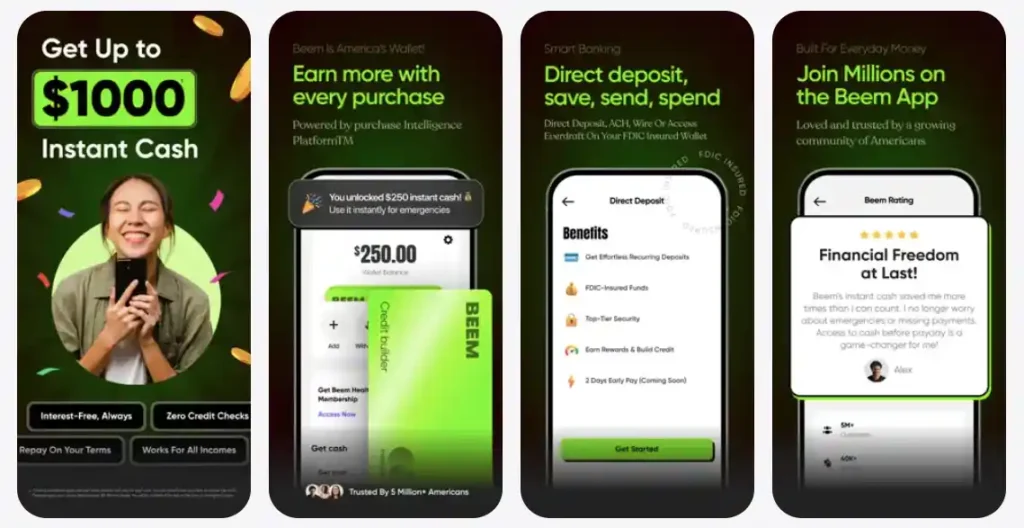
The Beem app brings biometric authentication, Real ID verification, FDIC-backed deposits, and continuous fraud monitoring together in an app designed specifically for the financial situations of everyday Americans. That’s not a lesser version of what a big bank offers. In meaningful ways, it’s a more modern one.
The Bigger Picture: How Beem Protects Your Money
Security is not just a technical feature. It is an expression of how much a company values the people using its product.
When Beem invests in biometric authentication and Real ID verification, it’s not doing the minimum. It’s building systems that are genuinely more difficult to compromise than what most of the industry relies on. When Beem operates with FDIC-backed deposits, it’s making a promise that your money is safe even in scenarios outside its own control.
Beem’s users are not wealthy people who can absorb a financial hit. They are people for whom $200 in an account matters. People who need to know their money is exactly where they left it, protected by something they can trust. That’s why security at Beem isn’t a bullet point on a marketing page. It’s the whole point.
Frequently Asked Questions
1. Is Beem safe to use for managing my money?
Yes. Beem uses biometric authentication to protect account access, Real ID verification to confirm the identity of account holders, FDIC-insured deposits through its partner bank to protect your funds, and continuous monitoring to detect and flag suspicious activity. These are the same categories of protection offered by established financial institutions.
2. What happens if someone gets my phone and tries to access my Beem account?
Without your fingerprint or face, they cannot get in. Beem uses the biometric security built into your device, which means a passcode alone is not enough to access your account. If your phone is lost or stolen, contact Beem support immediately and use your device’s remote lock or wipe feature through Apple or Google’s account tools.
3. Is my money protected if Beem shuts down?
Yes. Beem’s banking features are FDIC insured through its partner bank. FDIC insurance protects your deposits up to the applicable federal limit regardless of what happens to the financial institution holding your funds. This is the same protection your money has at any traditional US bank.
4. What is Real ID verification and why does Beem require it?
Real ID verification is the process of confirming your identity against a government-issued document, such as a driver’s license or passport, during account creation. Beem requires this to ensure every account belongs to a real, verified individual. It prevents fraudsters from creating fake accounts using stolen personal information and protects the integrity of the platform for every user on it.
5. What should I do if I see an unauthorized transaction on my Beem account?
Contact Beem support immediately at help.trybeem.com. Provide the details of the transaction. Do not wait to report it. The sooner suspicious activity is flagged, the faster it can be investigated and resolved. If you believe your account credentials have been compromised, change your authentication settings at the same time.